Recallr
Search your PC in plain words. Photos, documents and videos, found in a moment, all offline.
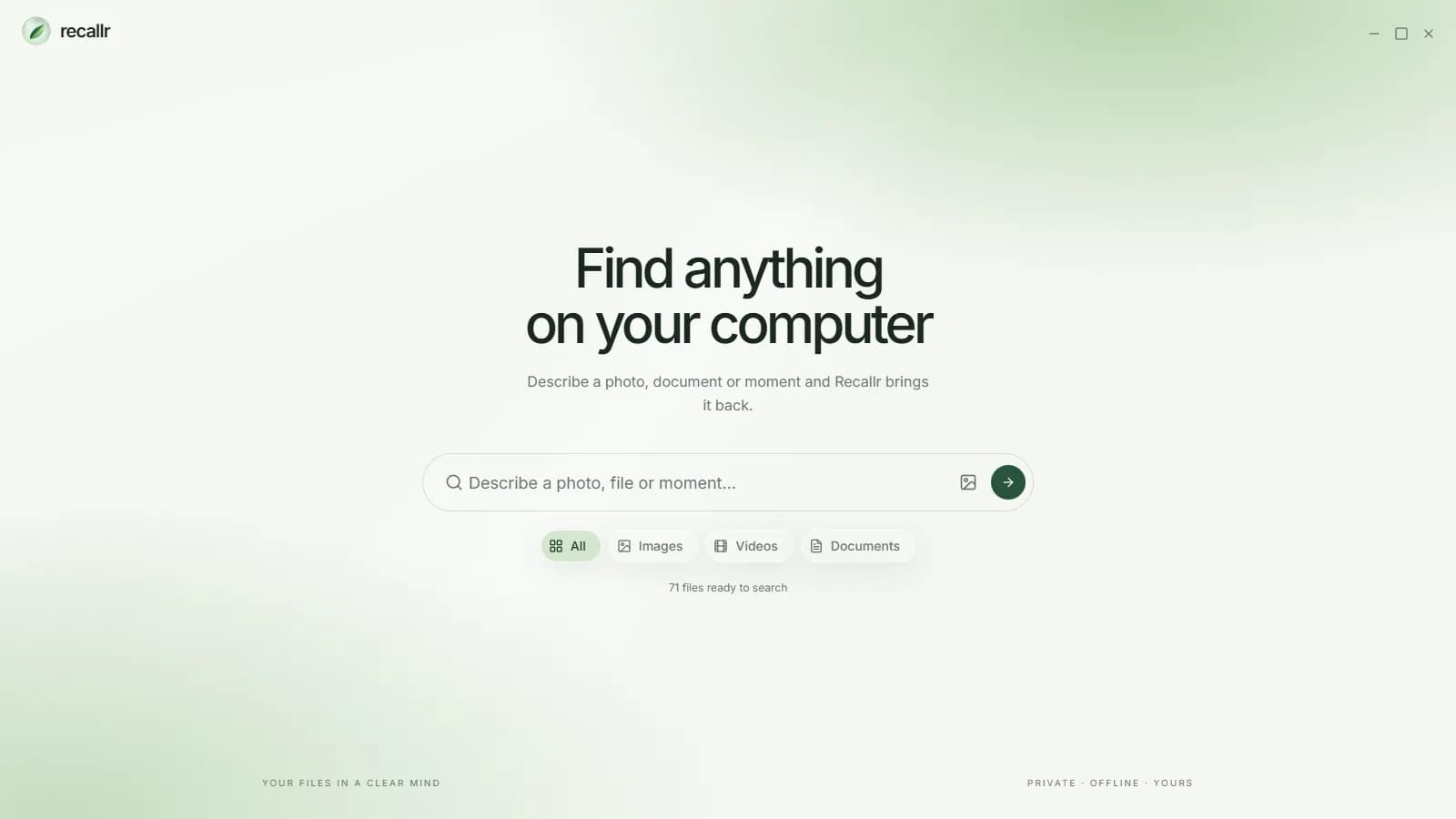
I kept losing files I knew I had. I could remember what was in a photo or a document, but never what I had named it or where I had saved it. So I built Recallr: describe what you remember, and it brings the file back.
It runs entirely on your PC, and it's free on the Microsoft Store.
How it works
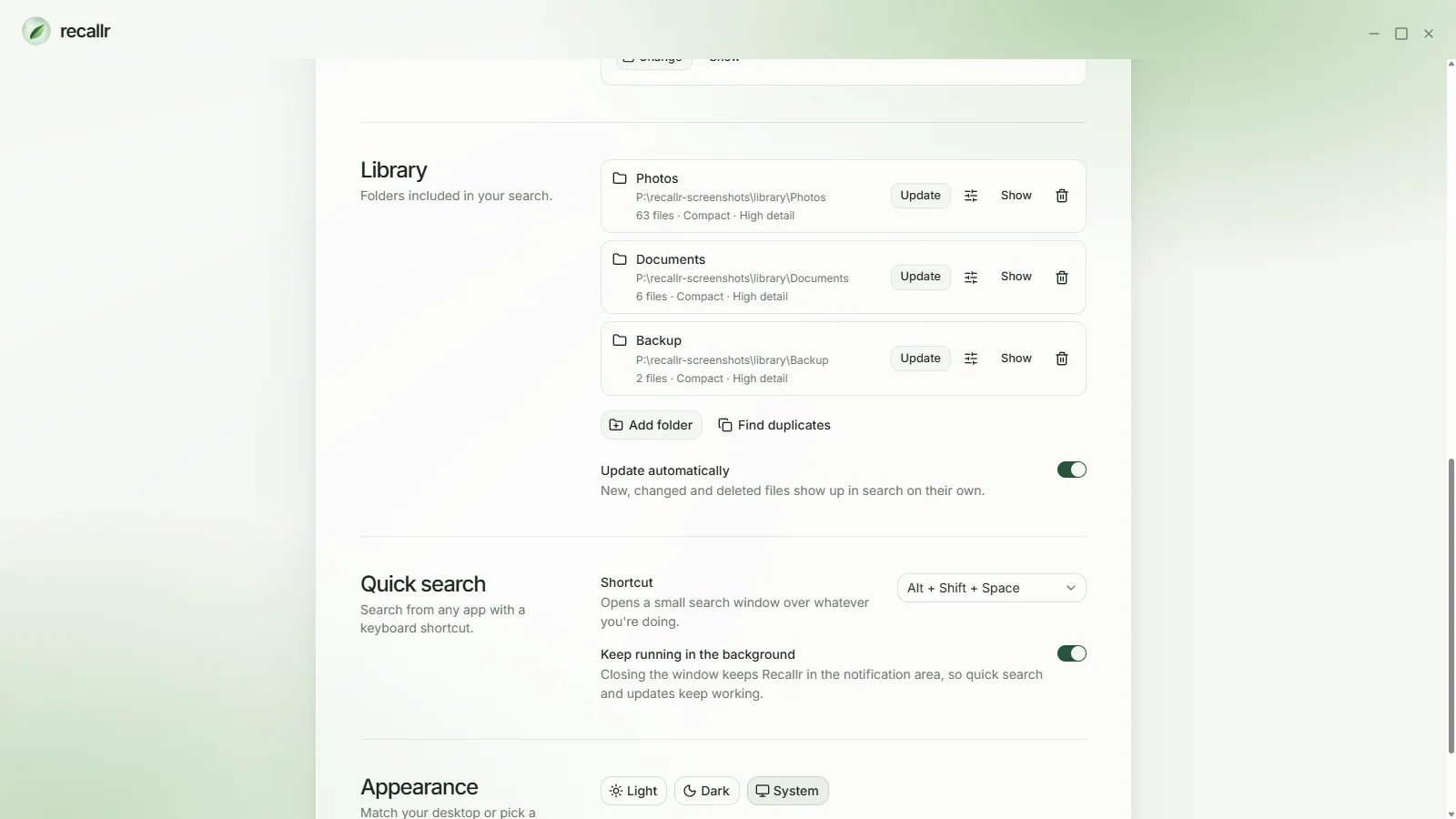
- Install Recallr and add the folders you want to search, like Photos, Documents or a backup drive.
- Recallr reads them once, on your PC, and keeps up as files are added, changed or deleted.
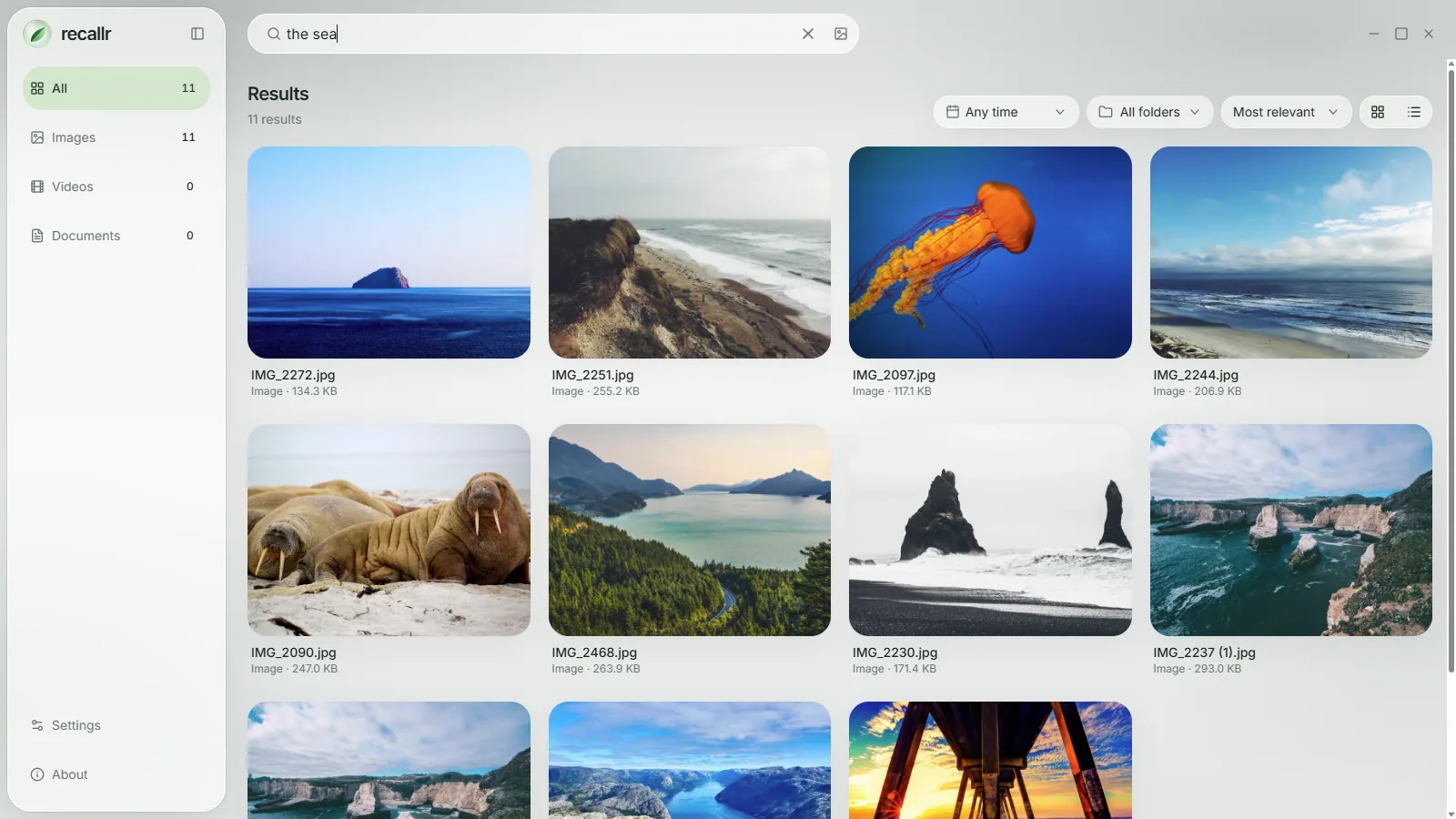
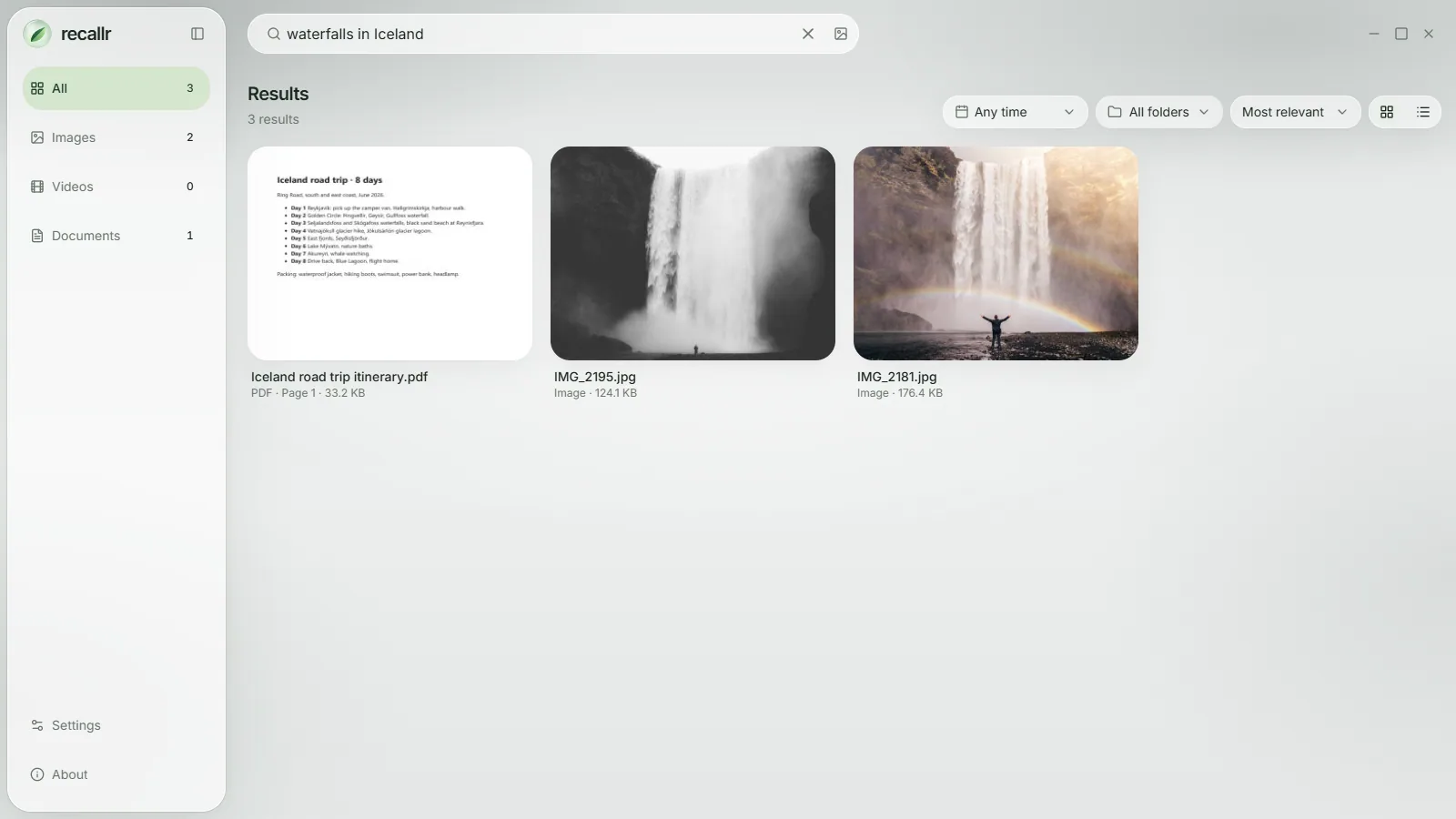
- Type what you remember, in plain words: "the sea", "waterfalls in Iceland" or "invoice from March".
What it finds
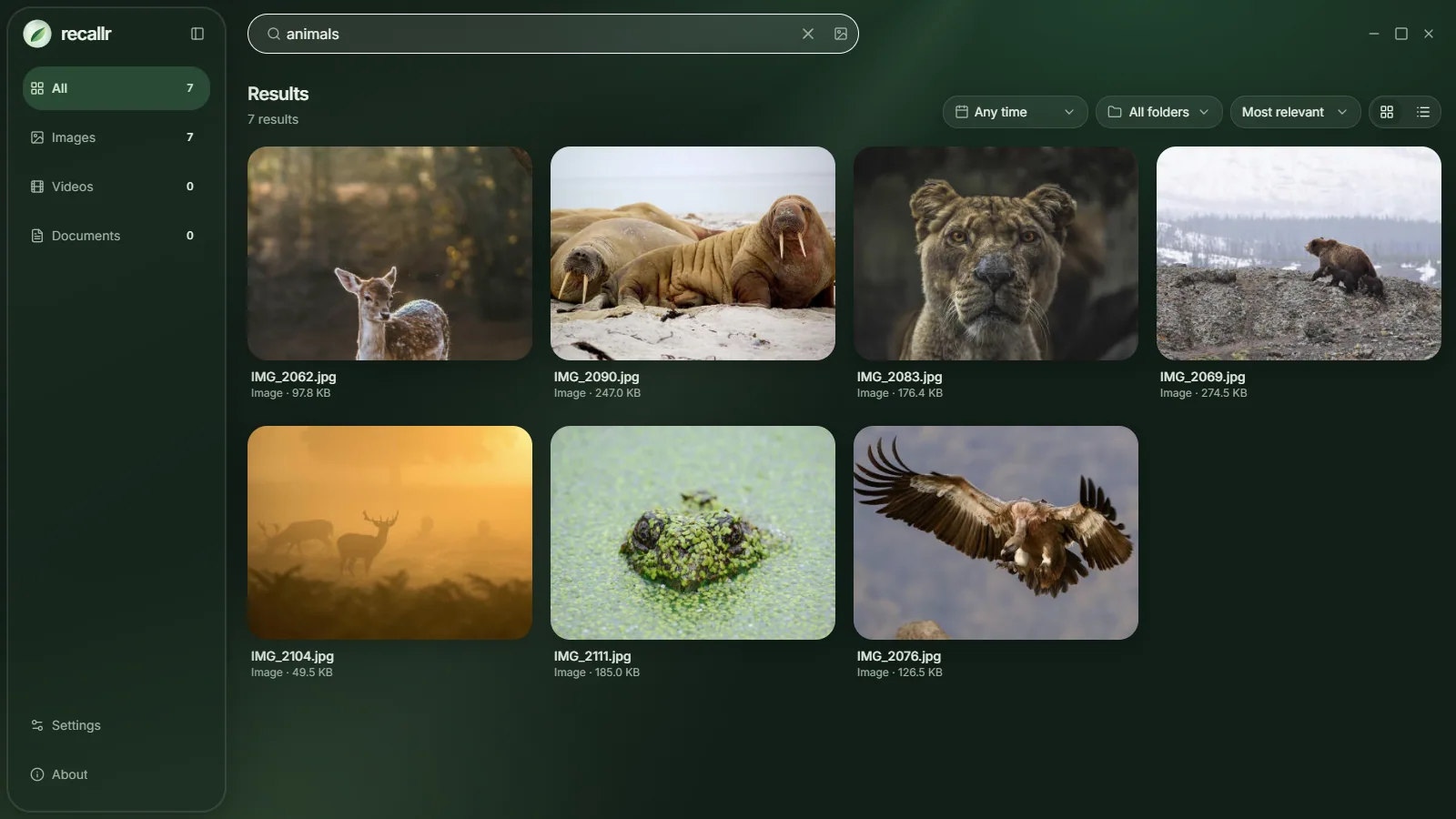
- Photos by what's in them. Search "dog in the snow" and get the photo, whatever the file is called. Start from any photo to find look-alikes.
- Words inside documents and PDFs, including exact phrases, invoice numbers and codes.
- Moments inside videos, frame by frame.
- Everything in one search. Photos and documents come back together, so a trip itinerary sits next to the trip photos.
Private by design
- Offline. Search runs on your PC. After a one-time download of the search model, Recallr works without the internet.
- Your files stay yours. Nothing is uploaded. No account, no ads, no tracking.
- Your drive, your choice. Keep the index and the model on any drive, not just C:.
- Drives that come and go. Results from an unplugged drive stay visible, and Recallr finds the drive again even if its letter changes.
Small things that help
- Quick search. Press Alt + Shift + Space in any app to open a small search window over whatever you're doing.
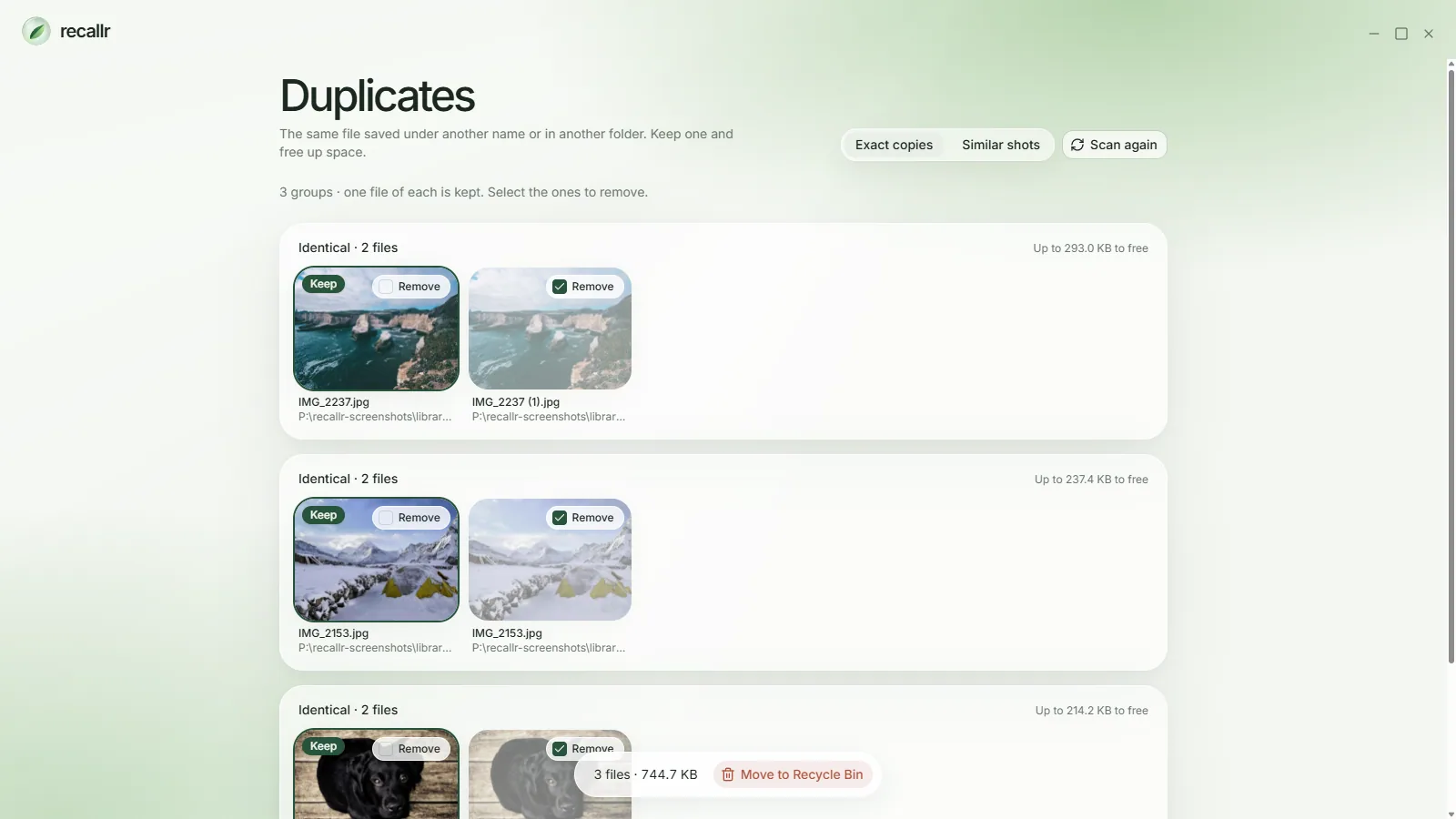
- Duplicates. Find exact copies saved under another name or in another folder, keep one and free up space. Removed files go to the Recycle Bin.
- Light and dark. Follows Windows, or pick one.
Under the hood
Recallr is a Tauri app with a Rust core and a Next.js interface. Search uses Google's EmbeddingGemma model, one model for both text and images, running through ONNX Runtime on your graphics card when it can and on the processor when it can't. Keyword search uses SQLite, which ships inside the app, so exact matches work even before the model is downloaded.
I kept it deliberately small: one model, and heavier extras like video support download only if you turn them on.
Get it
Free on the Microsoft Store for Windows 10 and 11. It needs 8 GB of memory and runs best with 16 GB.