BlurVideo
Privacy tools for your videos. Blur faces, number plates and more, right in your browser.
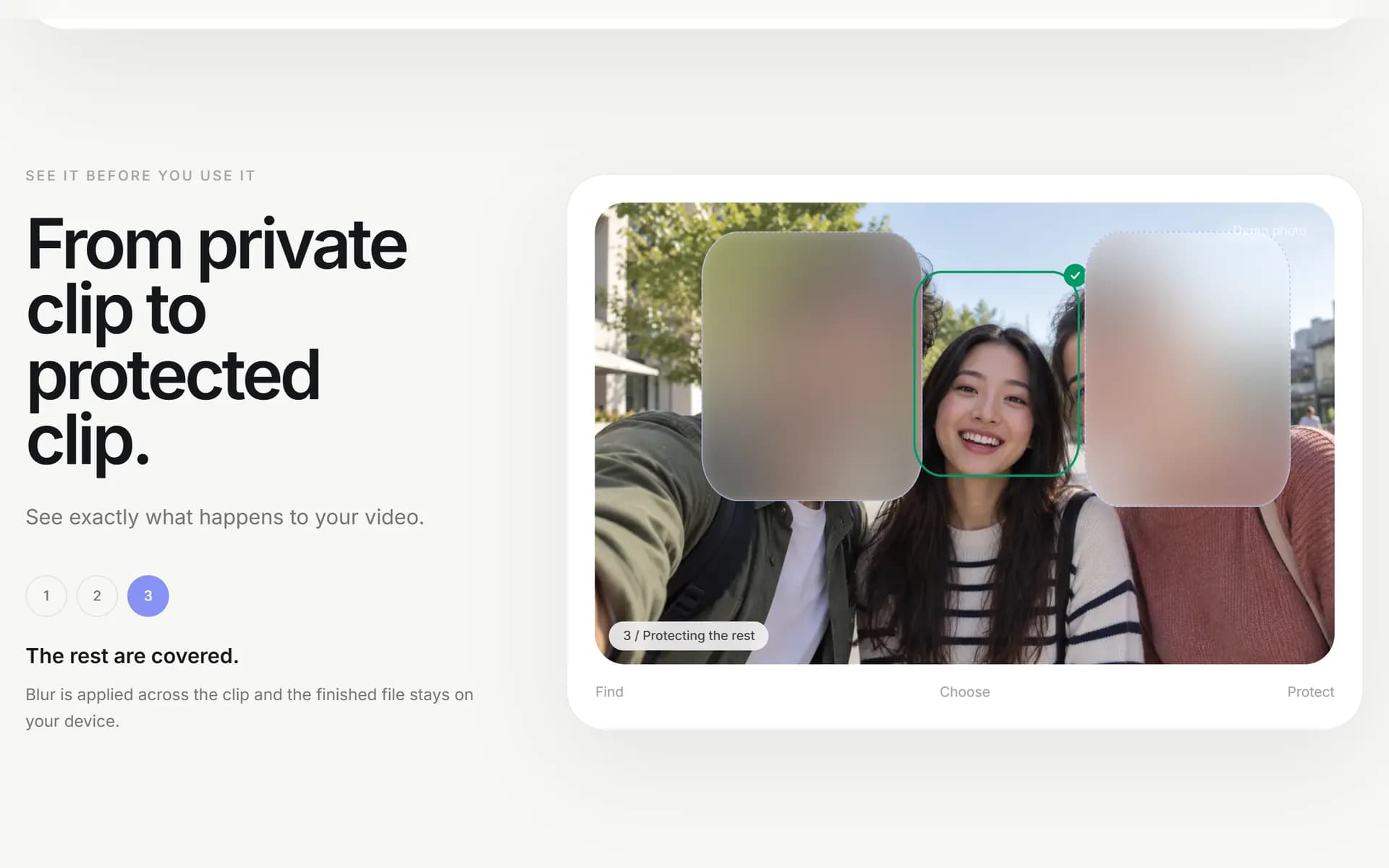
Most face-blur tools ask you to upload your video first, which is an odd thing to ask of footage you are trying to protect. BlurVideo does the whole job in your browser instead: it finds the faces, lets you keep the ones you want, blurs the rest, and the video never leaves your device.
It's free, with no account and no tracking.
How it works
- Choose a video up to 90 seconds. It opens straight from your device, nothing is uploaded.
- BlurVideo finds every face and follows it as the video moves, then groups them by person.
- Tap the people who should stay visible. Everyone else is blurred for the whole clip.
- Save the finished video. There is no online library waiting for you afterwards.
The face detector is a small one-time download that stays in your browser, so the next video starts straight away.
More than faces
What began as one page is now a set of small, private media tools, all running on your device:
- Blur number plates. The same flow for vehicle registrations, covering angled plates corner to corner.
- Video editor. Cut, join, fade and add text to clips, then save one video.
- Audio editor. Cut, join and crossfade songs into one track.
- Lossless trim, split and merge. Cut out the parts you don't need, split a long video into clips, or join matching clips, all without re-encoding.
- Photo editor. Give a photo a look, blur faces and save at full size.
- Frame grabber, video to GIF and audio extractor. Save a frame at its original resolution, turn part of a video into a GIF, or keep just the sound as WAV or MP3.
- Image resizer. Hit an exact size or a file-size limit.
Same promise across every tool: your media stays on your device.
Private by design
- Nothing is uploaded. There is no upload endpoint at all. Your video is read, analysed and edited in the browser.
- No account. Open the page and start. Nothing to sign up for.
- Works like an app. Install it from your browser and it opens like any other app on your phone or computer.
Under the hood
BlurVideo is a Next.js app that does all of its media work in the browser, on the graphics card when it can and on the processor when it can’t. Faces are found and matched to the same person across frames, using a small tracker I wrote in TypeScript.
Every model was picked with its license checked at the source, and the face detector is under 250 KB, because the first thing you wait on is that download.
Try it
Free at blurvid.com, in any modern browser on your phone or computer.